Step 1: Login to sharkexchange.in
Step 2: Select "wallets" on the top and select "INR withdrawal" bellow.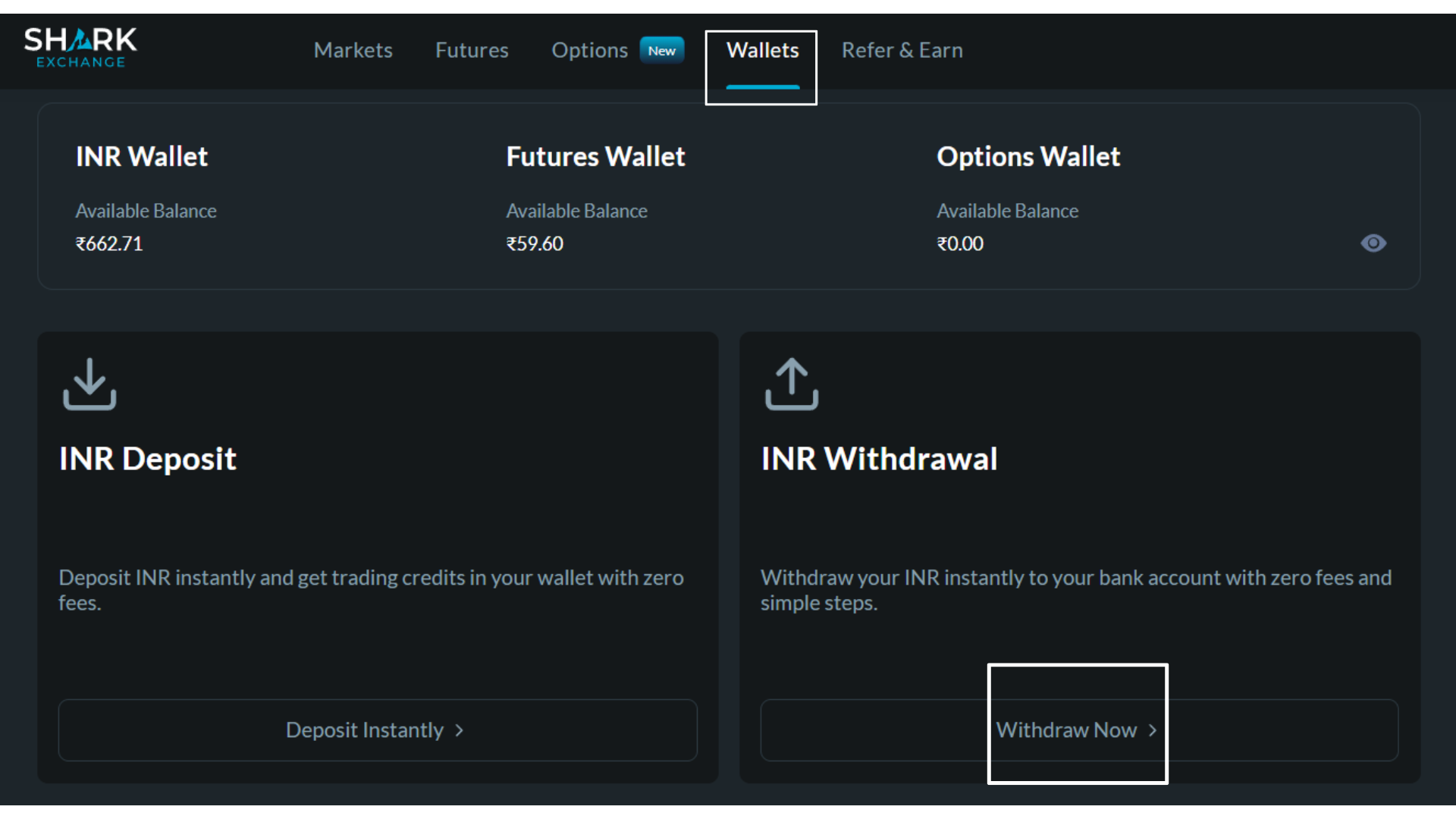
Note: Before requesting a withdrawal, ensure that the funds you wish to withdraw are available in your INR wallet. If your funds are currently in the Futures wallet, kindly transfer the desired amount to your INR wallet before proceeding with the withdrawal.
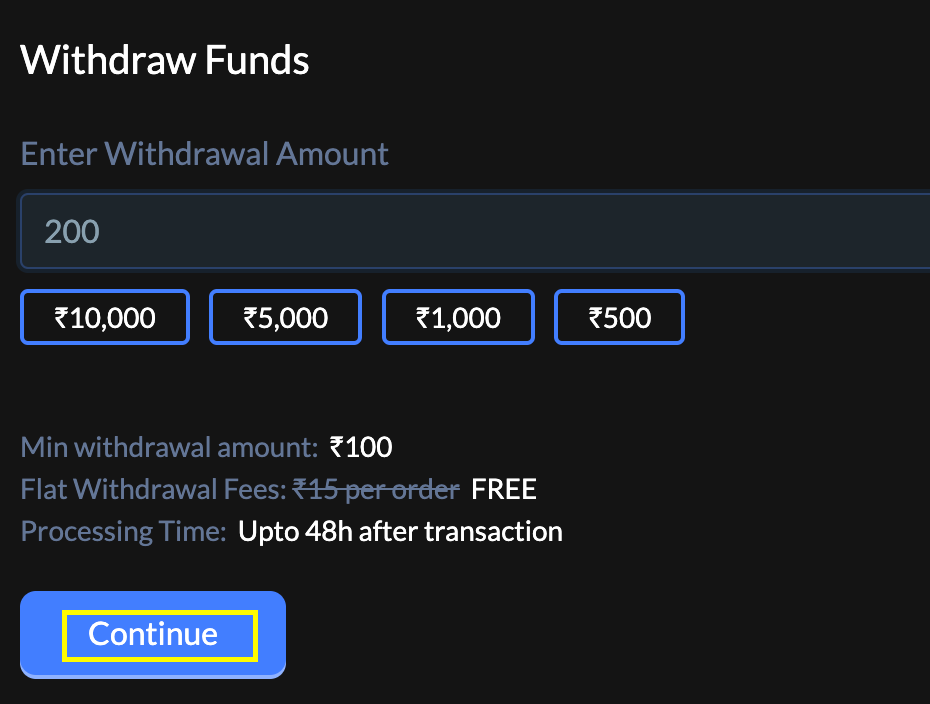
Step 3: Enter the amount that you wish to withdraw and click on continue
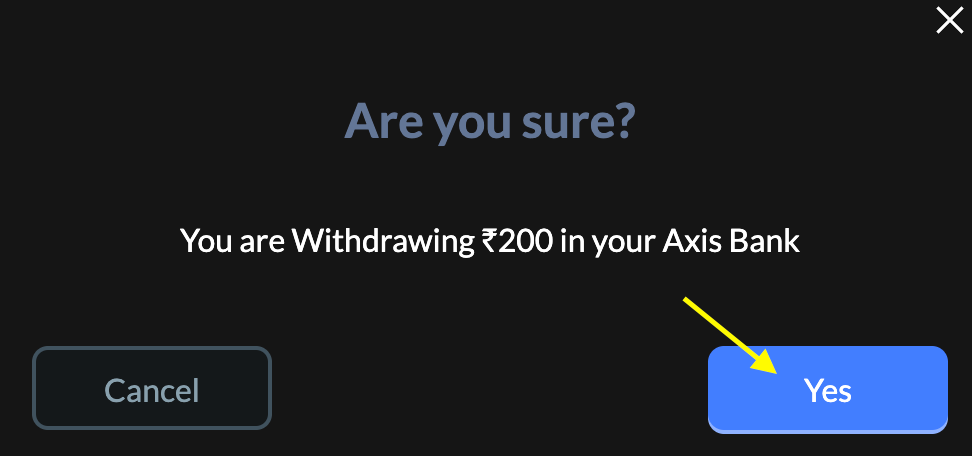
Step 4: You will receive a pop-up to confirm the bank account where your funds will be credited.
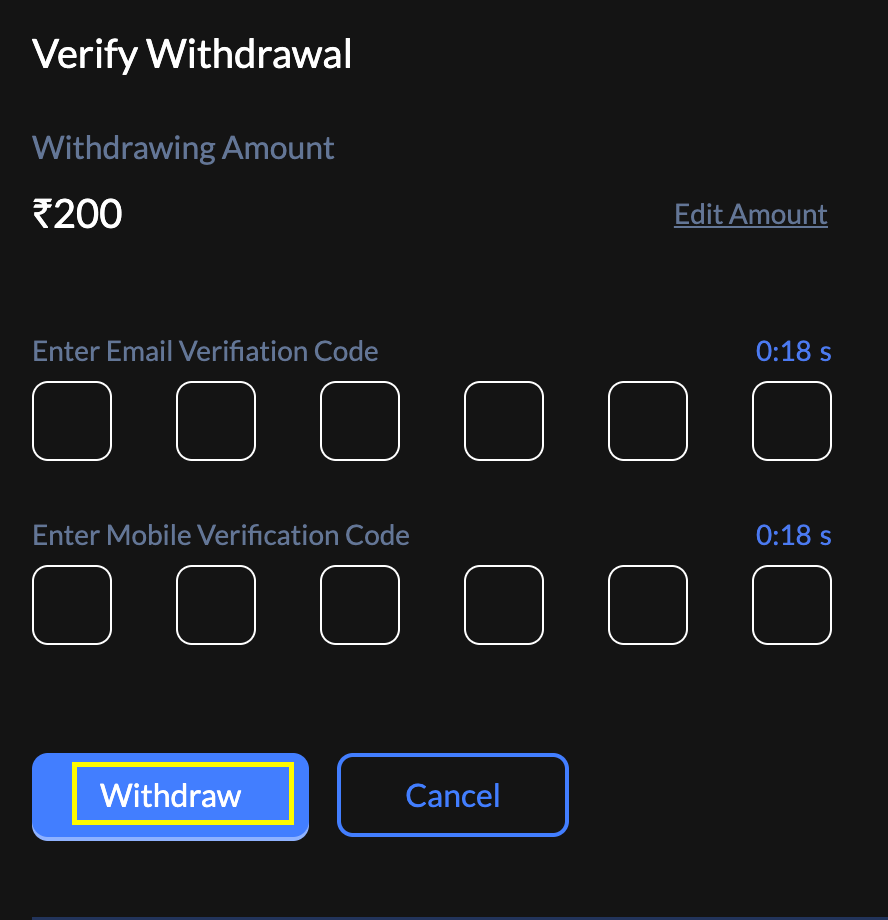
Step 5 : Once you click on Yes Enter the OTP's you received on the registered mail ID and phone number and click on withdraw.
Step 7 - Now,You can track the status of your withdrawal in the INR Wallet Transactions.
Step 8 - Once submitted, the money will be processed and should reflect in your bank account within 24 to 48 hours.
Was this article helpful?
That’s Great!
Thank you for your feedback
Sorry! We couldn't be helpful
Thank you for your feedback
Feedback sent
We appreciate your effort and will try to fix the article